What Is Website Maintenance and Why Does It Matter
Many businesses build a website and move on. Here's what website maintenance actually involves and why skipping it quietly costs you more than you'd expect.

Over the years, we have handled plenty of one-off website builds in which we are hired to create a website, set it up in a hosting environment for a client, and then move on. The website looks great when we hand it off. Everything works and the site loads quickly.
Then a few months go by. Maybe a year. And then we get an email or a phone call that the site is loading slow. Or that the SSL certificate expired. Or that something is broken.
Most of the time, it isn’t the result of what the client did do, but what they didn’t do. A website is an extension of your business and it requires upkeep. Just like a restaurant sweeps the floors and wipes down tables every night, a website needs maintenance all the same. Here’s a rundown on what maintenance actually looks like, why you don’t need to be scared of it and some resources to help you manage and maintain your website for the long-haul.
What Maintenance Actually Covers
Website maintenance is a broad term that encompasses several distinct categories of work. Understanding what those categories are makes it easier to see why the whole thing matters.
Software and plugin updates. Most websites run on a content management system such as WordPress, Squarespace, Shopify, or or something similar. Many of these platforms rely on third-party plugins or extensions to handle specific functions. Those plugins are updated regularly by their developers, often in response to security vulnerabilities or simply to add new functionality. When updates go uninstalled, the vulnerabilities remain open. Sucuri's annual website threat research report consistently finds that outdated software is the leading cause of website compromises, accounting for the majority of infections across all CMS platforms year over year.
Backups. A backup is the insurance policy of your website. If something breaks, a recent backup is the difference between a few hours of recovery time and starting over from scratch. Every website we build (whether we host it or now) is configured with backups and redundancies exactly for this purpose. It is important to not only make sure your website is backed up, but that you check that the backup functionality is working.
PRO TIP: Configure your backup service to store your backups somewhere other than you website server. Integration with Google Drive or Dropbox is usually nothing more than a few clicks and adds an extra layer of security should your website need recovery.
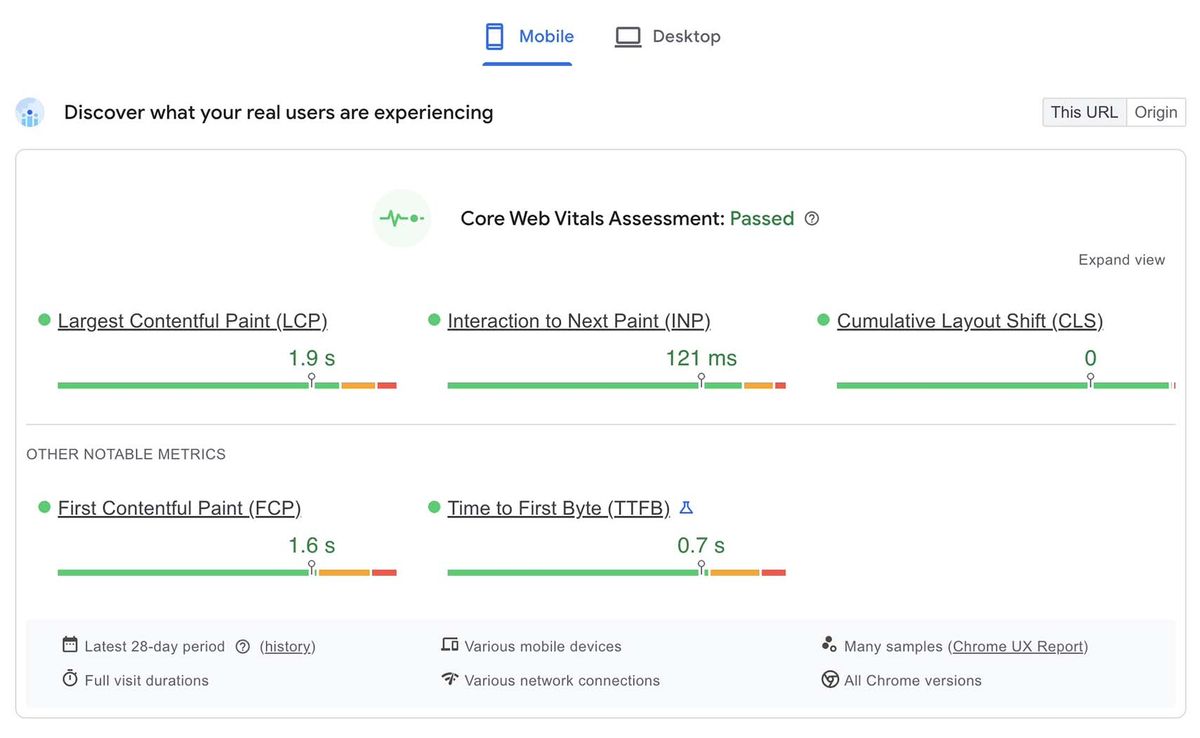
Performance monitoring. Websites slow down over time. Images get larger, plugins multiply, code accumulates. Routine performance checks catch the slowdowns before they become significant enough to affect user experience and search rankings. We recommend a combination of GTMetrix and PageSpeed Insights to help understand your website performance.
PRO TIP: Submitting your website to Google Search Console or leveraging a tool such as HotJar will give you real data from real users on your website’s performance. This is the best benchmark to use in your evaluation
Uptime monitoring. Websites go down. Hosting servers have incidents, domain registrations lapse, SSL certificates expire. An uptime monitoring service alerts you within minutes of an outage rather than letting you find out days later when a client mentions they couldn't reach you. We have built our own internal tools for this here at Mithril Media but a service like updown.io can provide this service for you for just a couple bucks a month.
Content and link auditing. Over time, links break, pages go out of date, and content that once ranked well begins to decay. A periodic content audit that reviews pages for accuracy, checks for broken links, and updates information that has changed keeps the site functioning as an accurate representation of your business.
Security scanning. Even well-maintained sites benefit from periodic scans for malware, injected code, and unauthorized changes. Google's Safe Browsing service flags thousands of new compromised sites every day.
PRO TIP: Many hosting providers offer out of the box site scanning tools that will regularly monitor this and alert you if something is amiss. It is typically worth the minimal monthly fee to have the service enabled and additional peace of mind.
The Compounding Cost of Neglect
The reason maintenance matters is not that any single neglected task will immediately cause a disaster. It is that neglect compounds. An unpatched plugin becomes a vulnerability. A vulnerability becomes a compromise. A compromise becomes a Google penalty, a loss of customer data, or a site that has to be rebuilt from scratch.
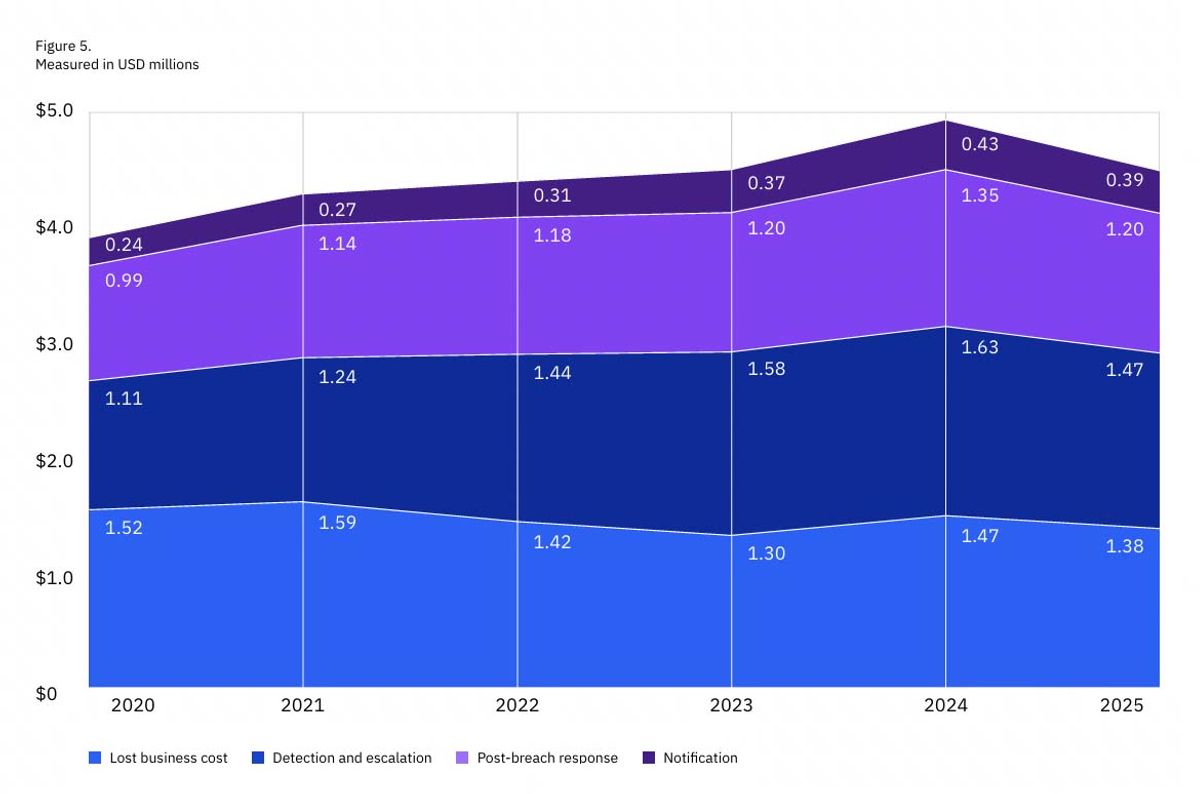
IBM's annual Cost of a Data Breach report documents how this plays out at scale: the average cost of a data breach for small and midsize businesses continues to rise, and in many cases, the breaches trace back to vulnerabilities that were known and patchable. The cost of prevention is a small fraction of the cost of recovery.
DIY or Hire Someone: Knowing Which Is Right for You
Some business owners are comfortable enough in their website dashboard to handle maintenance themselves. They know where the updates live, they're not afraid to click through the process, and they have a system for checking in on things regularly.
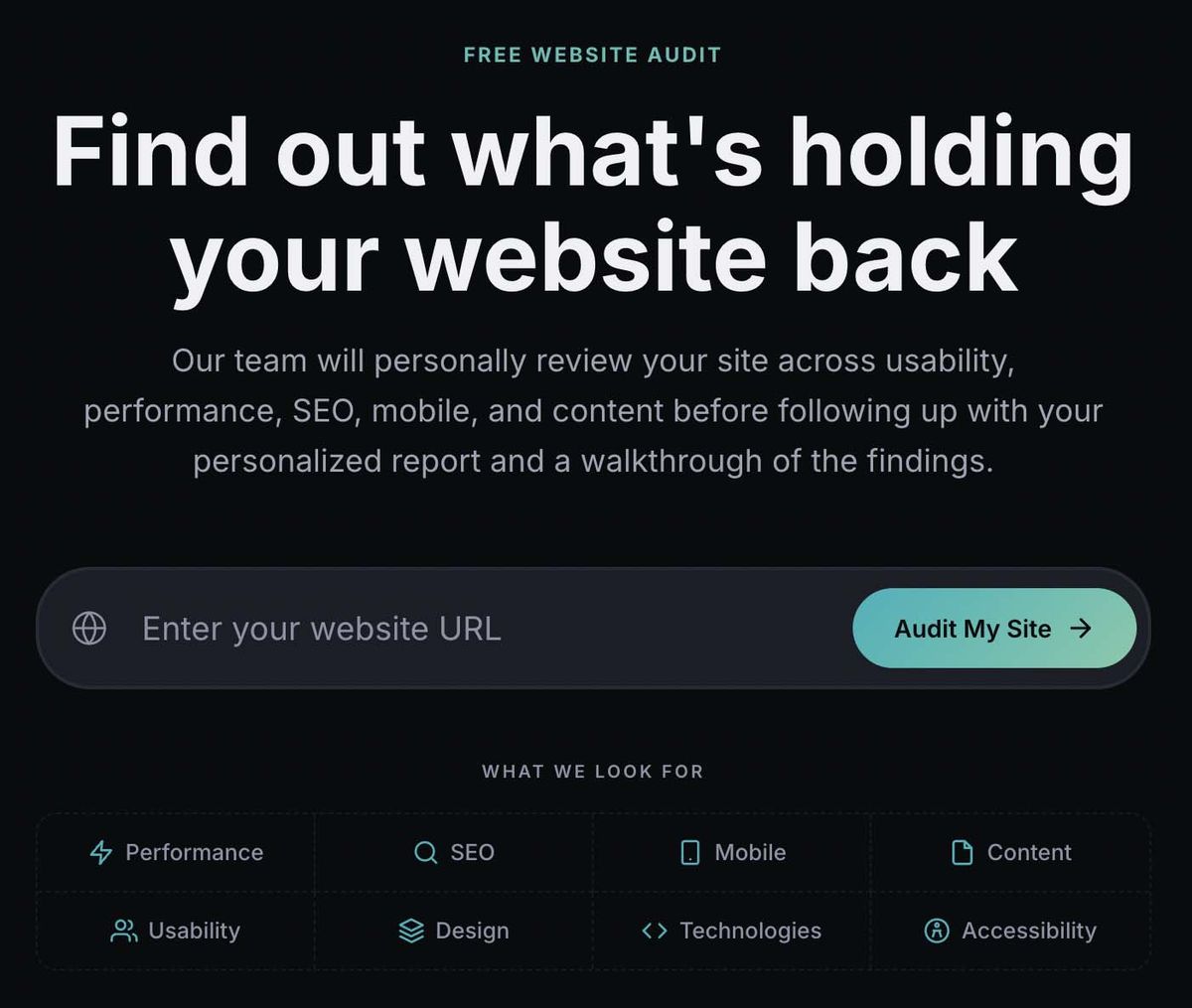
For others, the idea of touching the backend of a website is genuinely stressful. In this case, the right answer is usually to have someone handle it on your behalf, whether that's a web agency on retainer or a freelancer who checks in monthly. We offer a free website audit tool that our team uses to analyze several key areas of your website and help you develop a mitigation strategy for decreasing risk while also improving overall performance.
The honest truth is that either approach works, as long as it gets done. What doesn't work is the third option: assuming the site will take care of itself. Whether you are planning to handle maintenance on your own or you are looking to hire someone, we’ve put together two helpful resource guides for WordPress and Shopify so you know the right questions to ask.
How to Maintain Your WordPress, Shopify or Squarespace Website
The tasks above apply to every website, but how you carry them out depends on which platform your site runs on. 2 of the most popular website platorms in WordPress and Shopify each handle a different share of the maintenance workload and each leaves a different set of responsibilities in your hands.
We have written a dedicated guide for each platform with specific, step-by-step instructions for all five maintenance areas:
- How to Safely Update Your WordPress Website: covers theme updates, plugin updates, security, uptime monitoring, and backups on the most widely used -- and most actively targeted -- CMS on the web.
- How to Safely Maintain Your Shopify Store: covers what Shopify handles for you, what it does not, and the specific gaps around backups and account security that every Shopify merchant needs to address.
Each guide includes a maintenance schedule at the end so you can build the routine into your calendar regardless of whether you are handling it yourself or reviewing it with someone you have hired.
Website maintenance is one of the many services Mithril Media offers our clients. If you're not sure when your site was last properly maintained, that's a good reason to find out.
Book a MeetingFollow along on Substack to receive the latest articles in your inbox